

This is a case study on the figures and tactics contained within my journey towards increasing conversions for a local business without any physical address on Google My Business, or spending money on ads!
First off, some background: my client was a local landscaping business, located within a ~50,000 pop. town in Pennsylvania.
My client was looking to create a digital presence. However they were in a unique scenario — no initial investment for SEM (search engine marketing) or PPC (pay per click) ads, but they were willing to wait for organic growth.
The combination of lack of physical address (privacy reasons), low budget, and high competition (80+ other companies providing the service within 20 miles) was detrimental, but not insurmountable.
Setting our baseline
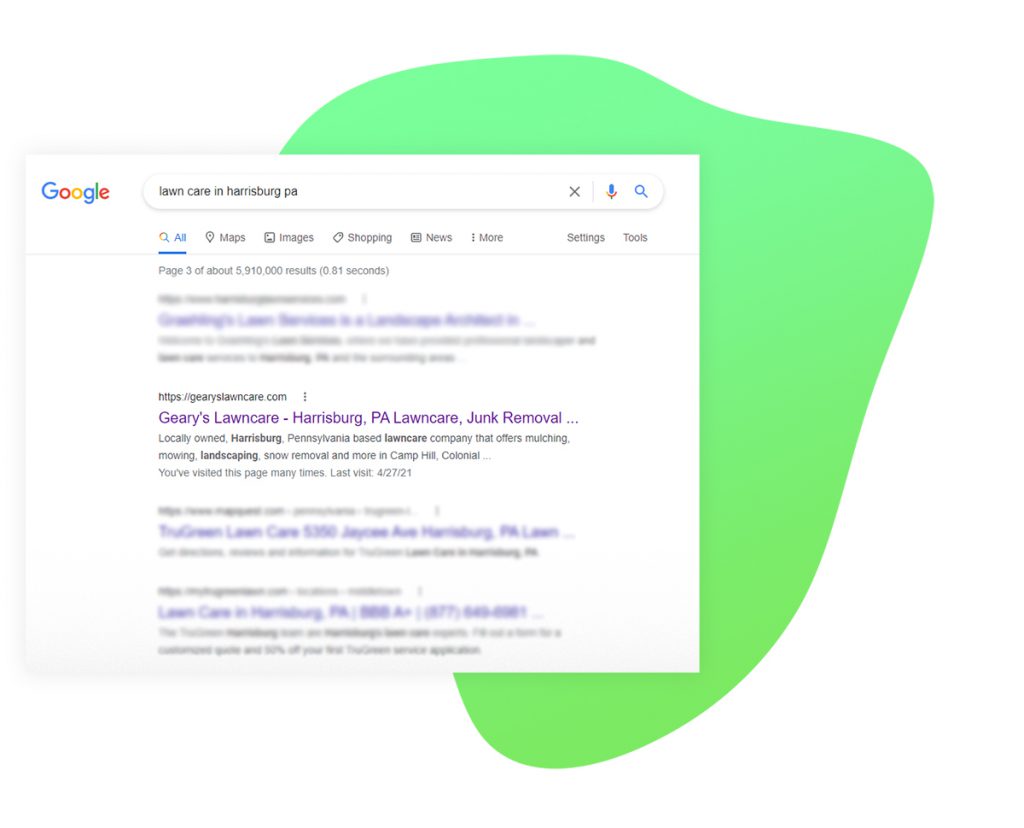
After some keyword research, I found my long-tail keyword that I’d be targeting primarily: professional lawn care in Harrisburg PA. As well as a few secondary keywords and phrases.
Writer’s note: I always target long tail keywords when creating a businesses’ web content initially. Long tail keywords are significantly easier to rank for when you have zero domain authority
I won’t go too in-depth about the My Business initial set up, considering this section was pretty straightforward. However there are three critical areas worth talking about. These portions were what separated my client’s business from the rest, and allowed us to rank!
• Services
• Description
• Service Area
I’ll speak a little regarding each of these areas, and how I utilized them better than my competition.
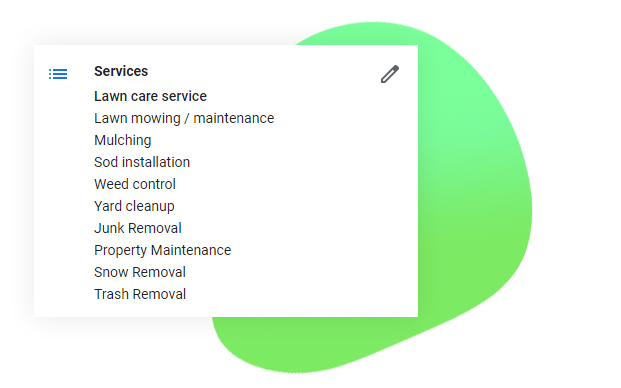
In the services section, I was exceedingly thorough when listing the services my client could perform. Making sure to comprehensively match their offered services to popular searches impressions were likely to google whilst looking for businesses in my client’s niche
Next, I located the most common complaint on other My Business profiles in the industry, and directly empathized with said issue in the description. I also made sure to frequently mention the formerly mentioned long-tail keyword(s) and secondary phrases.
Finally, were the service areas. This portion was key because it’s what Google references when a potential customer searches “Your service” in my area. I simply drew a triangle around the entire service zone, rather than typing out each individual service city/borough.
Gaining Google’s trust
I’d passed the initial set-up. But now it was time for the lengthier element (especially in the absence of capital) gaining Google’s confidence.
In my case, the odds were certainly stacked against me: no capital, a brand new website with zero domain authority, and no physical address whilst looking for local customers.
Writer’s note: I realized whilst I was typing this, that maybe I should’ve saved this for the plot of an SEO action movie.
But I had a secret weapon. I had one thing that other My Business listing owners in my area couldn’t contend with, regardless of how many other advantages my competition had.
I had knowledge
I knew the value Google places on your relationship with them.
Meaning if I consistently fed Google in ways my competitors weren’t, I could surpass them in ranking on My Business.
The method to the madness
There were a couple of key methods I used to set myself apart from the competition:
• Photos
• Reviews
• Posts
I’ll go through these quickly, because we’re almost upon the exciting part — the analytics!
Initially, I uploaded high quality photos of the client’s work (I traveled to sites, took a few snapshots with my DSLR, touched up/color corrected, and added some branding).
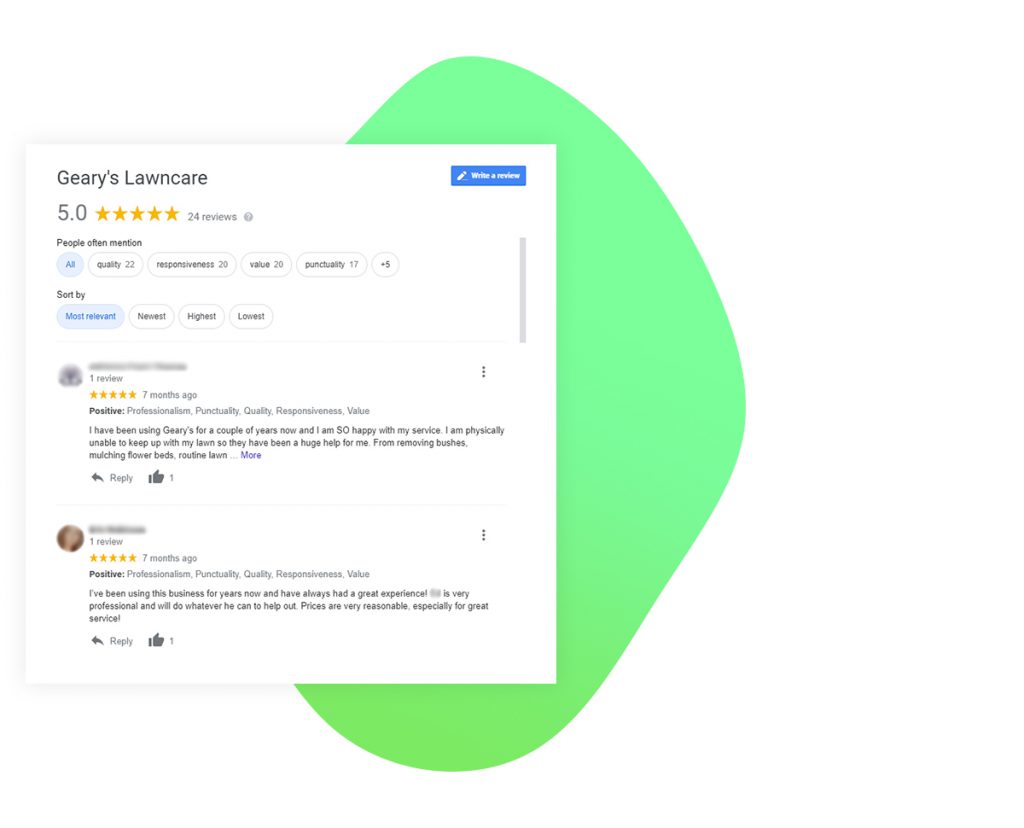
Next, was acquiring reviews. High quality, notable reviews are key to ranking with Google My Business — with reviews containing keywords/phrases being worth their weight in gold. So I had my client contact their satisfied customers, and offer a rebate for positive reviews containing the key phrases. This resulted in 20+, five-star reviews within a couple of weeks.
Finally, were posts. While of least direct importance to customers (unless they contain vital information, or current sales), they did add a tertiary avenue of building a relationship with Google. But most importantly, posts were another placement banner for our oh-so important keywords
Pieces in place, time for results
The results were a slow burn. This was primarily due to my client only passively looking for new business, and I wasn’t focusing on this project for more than a few hours a month
Spoiler alert: it worked!
Below is our first piece of data. This is the traffic (to the My Business page) for the most recent month.
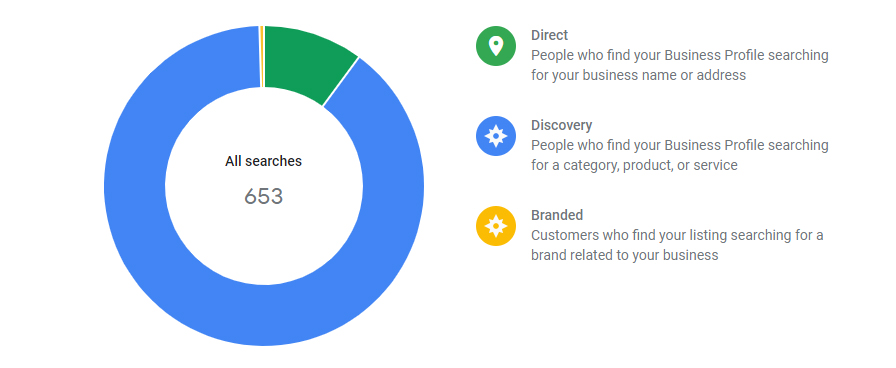
Now, let’s have a look at the actions graph for the most recent month. I can’t definitively give an actual number of customers that called, but I can hypothesize with available data.
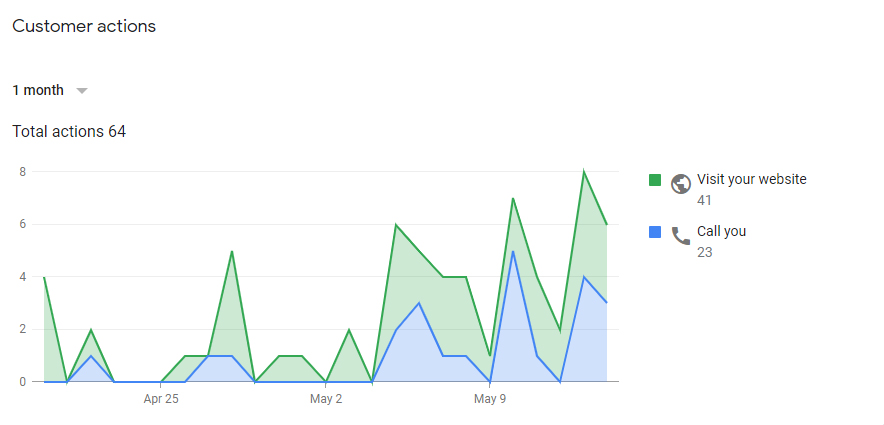
The conversion rate calculated utilizing only calls recorded from the My Business calls/impressions in the most recent month was around 4%.
Stay with me, because it gets more interesting
However, what this number fails to take into account is calls made by visitors to the website. This is important, as the website had two direct CTAs (calls to action) within the initial landing page.
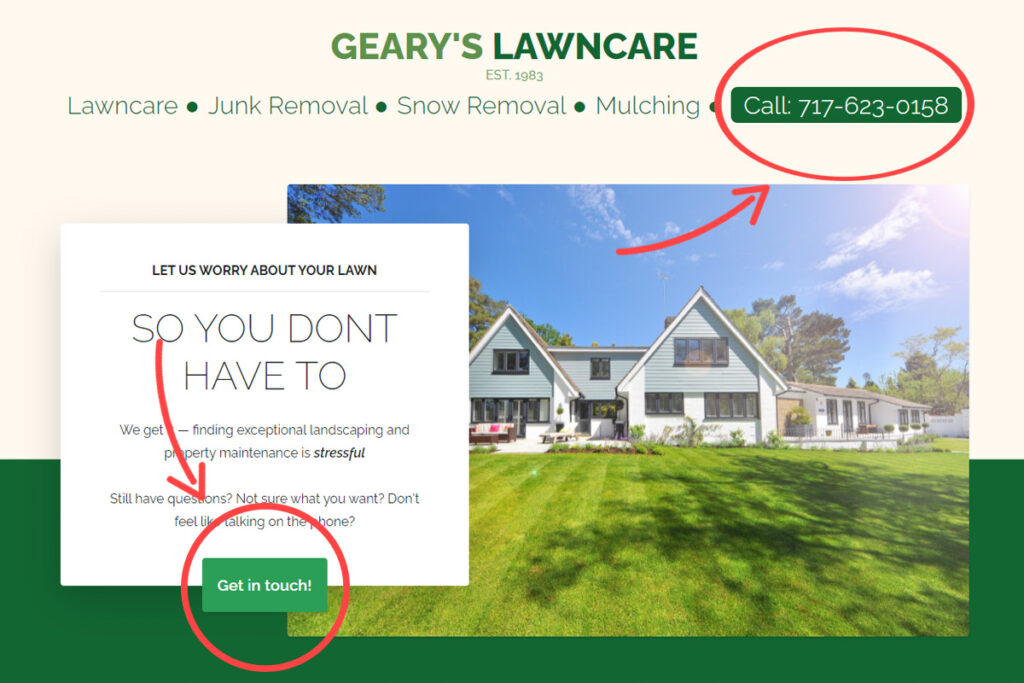
I’m going to leave the form submissions out of the actual equation for simplicity’s sake. But if we take the number of form submissions (11) and divide by the overall website visits in the last month (41), we get a 26.8% conversion rate on the form submission.
Furthermore, when we utilize our completely hypothetical ratio for submissions for potential calls made from the site we get the same amount of calls made: 11
So, if we were to combine our hypothetical amount of calls with our actual calls, we’d end up with 34 calls.
This gives us a 5.2% conversion rate on calls!
To give some factual basis for this completely un-factually derived number, let me offer you this tidbit: the client ended up having me temporarily close down the business on Google My Business, because they were getting too many calls!
That’s right. It’s still closed now, since the client is a one person operation and simply couldn’t keep up with the sheer amount of new clients that were attempting to get into contact with them.
I can not stress enough that this is a completely hypothetical conclusion. But the ramifications of getting a slightly above average conversion score, whilst at such a severe disadvantage (specifically lack of physical location, in a maps based listing), are extraordinary!
If you learned something from this article, and would like to have one written for your site/social: set up an appointment with me here!
1 thought on “How I Ranked High on Google My Business, Without Ad Spend | Case Study”
Comments are closed.